Crypto.com Payment Guide
No account or app required. No KYC needed for this process.
Step 1 – Select Payment Method
- At checkout, select Crypto.com as your payment option.
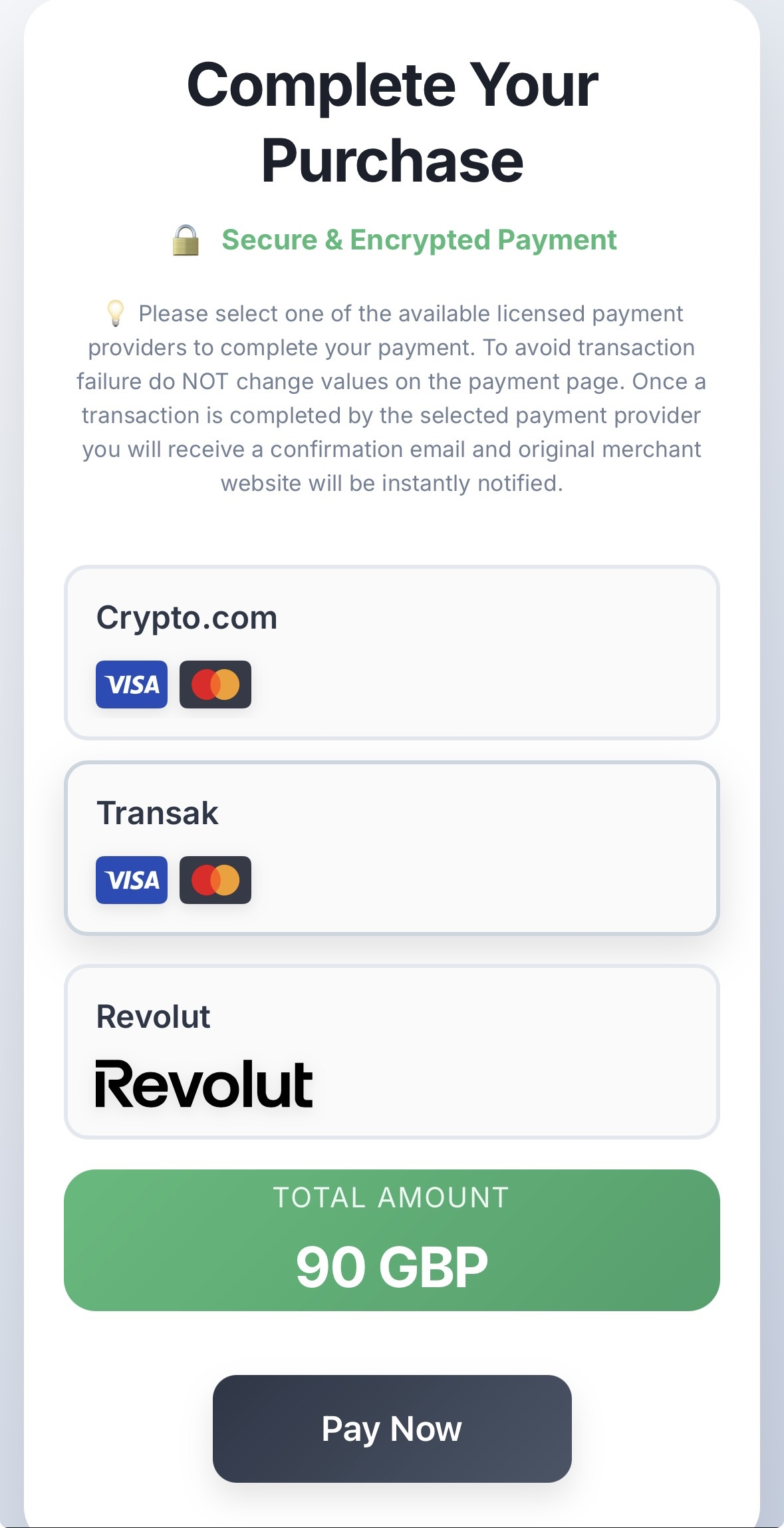
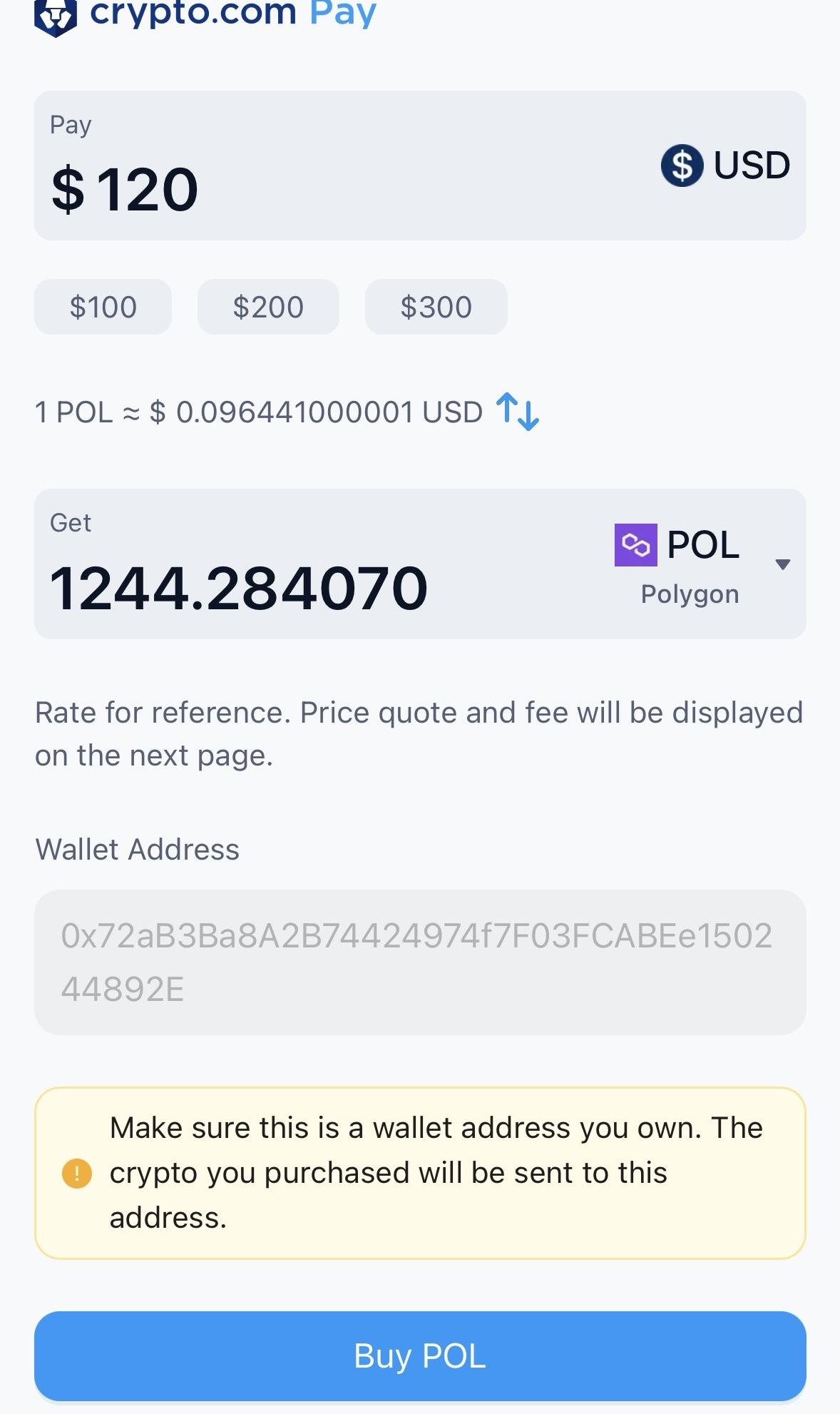
Step 2 – Confirm Purchase
- Do NOT change anything on the page.
- Click Buy POL to continue.
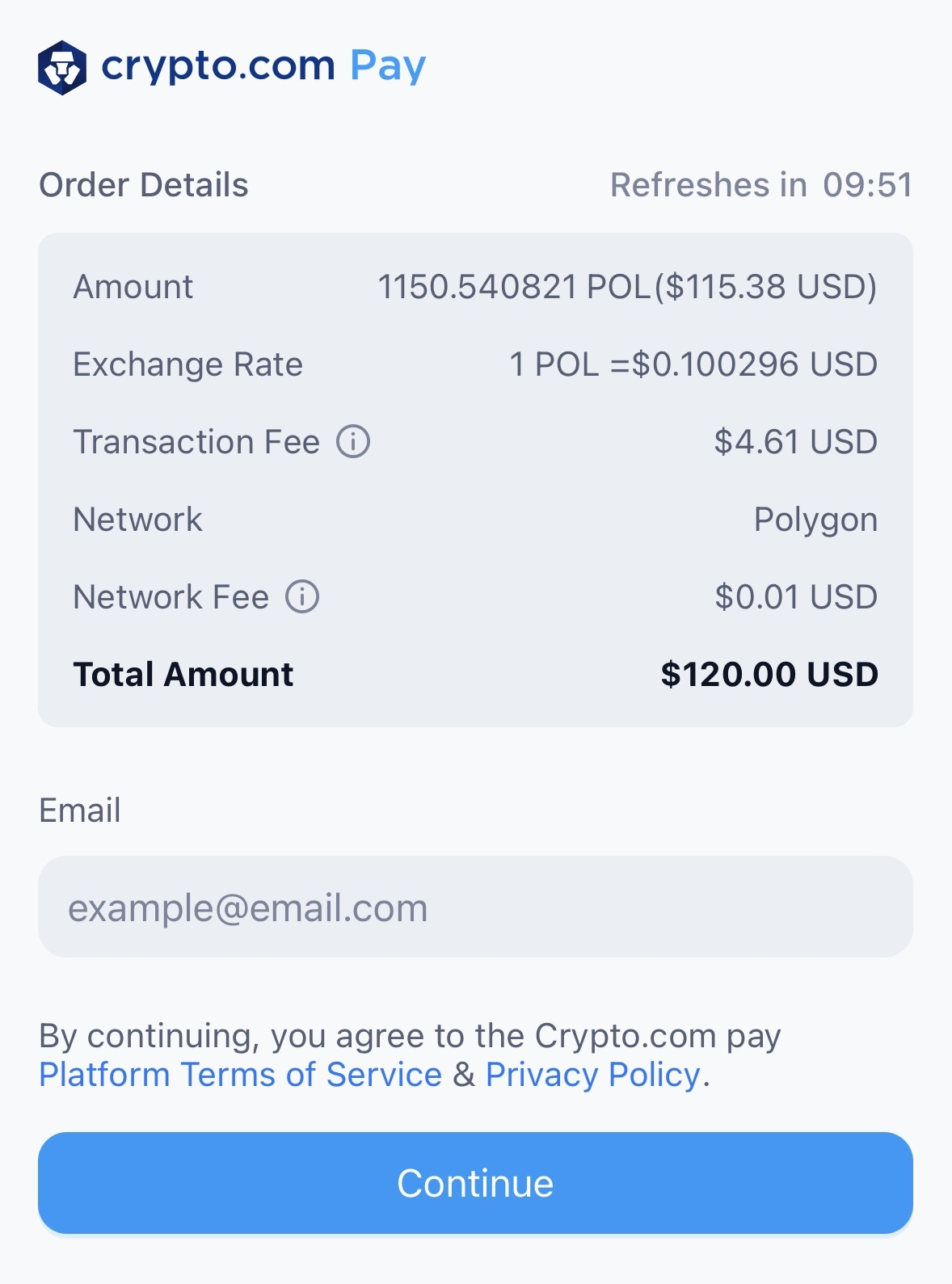
Step 3 – Enter Email
- Enter your valid email address.
- Click Continue.
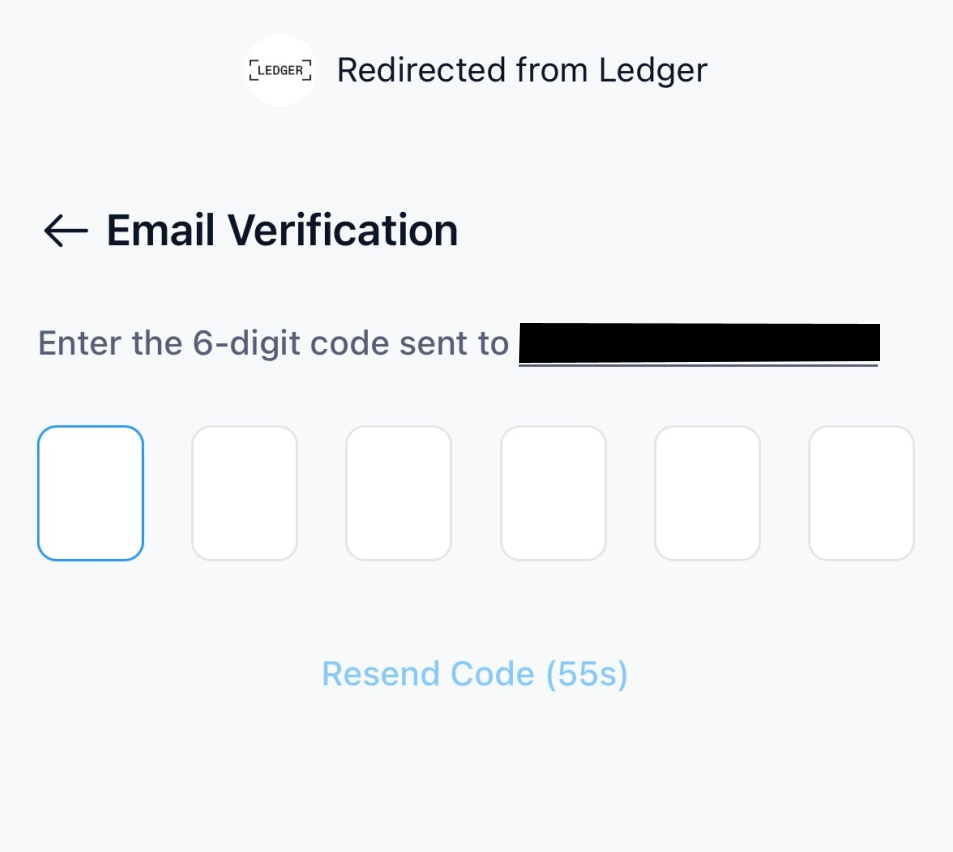
Step 4 – Email Verification
- A 6-digit code will be sent to your email.
- This may go to your junk/spam folder.
- Copy and paste the code into the verification box.
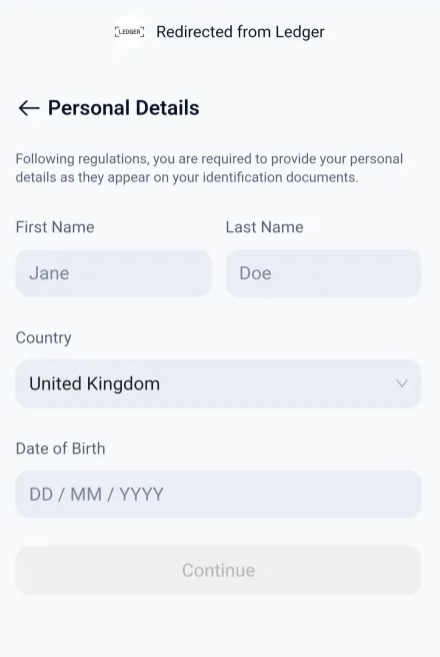
Step 5 – Enter Your Details
- First Name
- Last Name
- Country
- Date of Birth
Important: These must match your card details.
Tip: If the Continue button is greyed out, make sure all fields are completed.
Step 6 – Choose Payment Method
- Select one of the following:
- Debit/Credit Card
- Apple Pay
- Google Pay
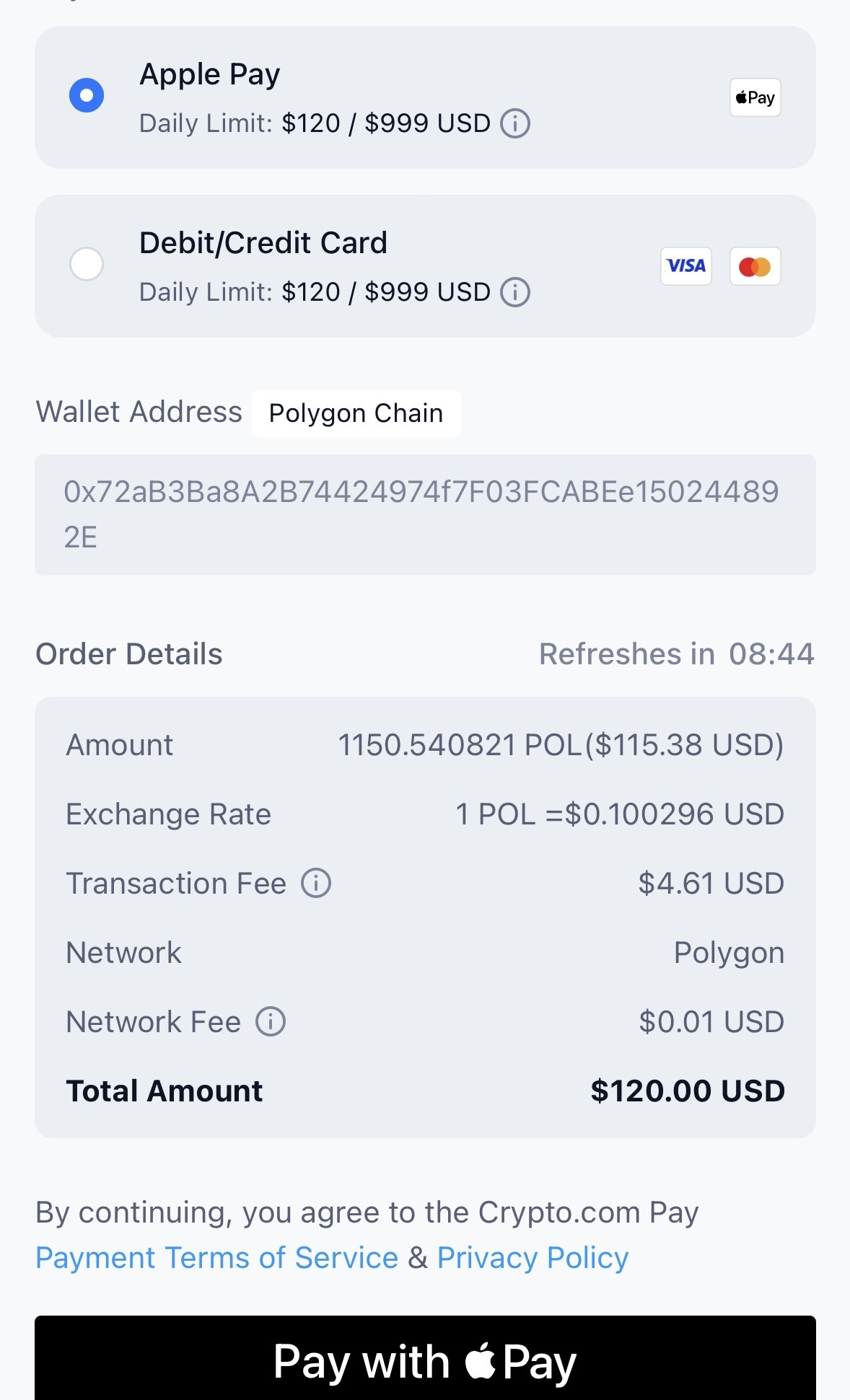
✅ Complete Payment
Follow the final steps from your bank or payment provider to complete the transaction.
Common Tips
❌ Didn’t receive code?
Check spam/junk folder or resend the code.
❌ Payment declined?
Ensure your card supports online/international payments.
❌ Details not accepted?
Make sure your name and DOB match your card exactly.
🚀 You're Done
Your payment will be processed instantly once completed.